
Mission 4 · After you have money in Versa
How to use Goals in Versa
Create multiple goals in one fund, link Auto Save to a goal, move money from your General balance, and how to break a goal before cashing out.
Quick answer
- One fund can hold multiple goals, and one Auto Save can feed several goals at once.
- Money sitting in a goal can't be cashed out or switched directly. You have to break the goal first.
- After breaking it, the money returns to your General balance. Any Auto Save linked to it goes straight into the General balance instead.
What you need
- A Versa account with a balance in any fund
- A name and target for your goal
What Goals are for
A GoalA savings target inside the app. Money in a Goal needs to be "broken" first before it can be Cashed Out. is a way to set money aside inside one fund for a purpose: an emergency fund, Raya money, a house deposit, a holiday. The money stays in the same fund and earns the same return. The app just shows your progress toward each purpose clearly.
Since the 2026 upgrade, one fund can hold multiple goals, each with its own name, target and date.
Follow each screen
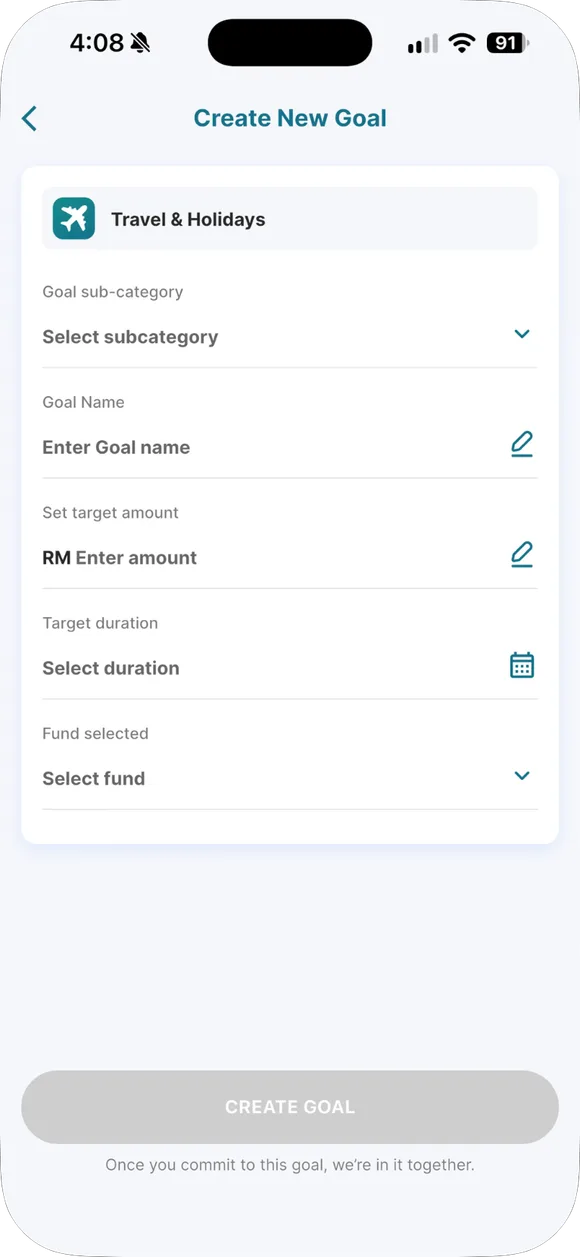
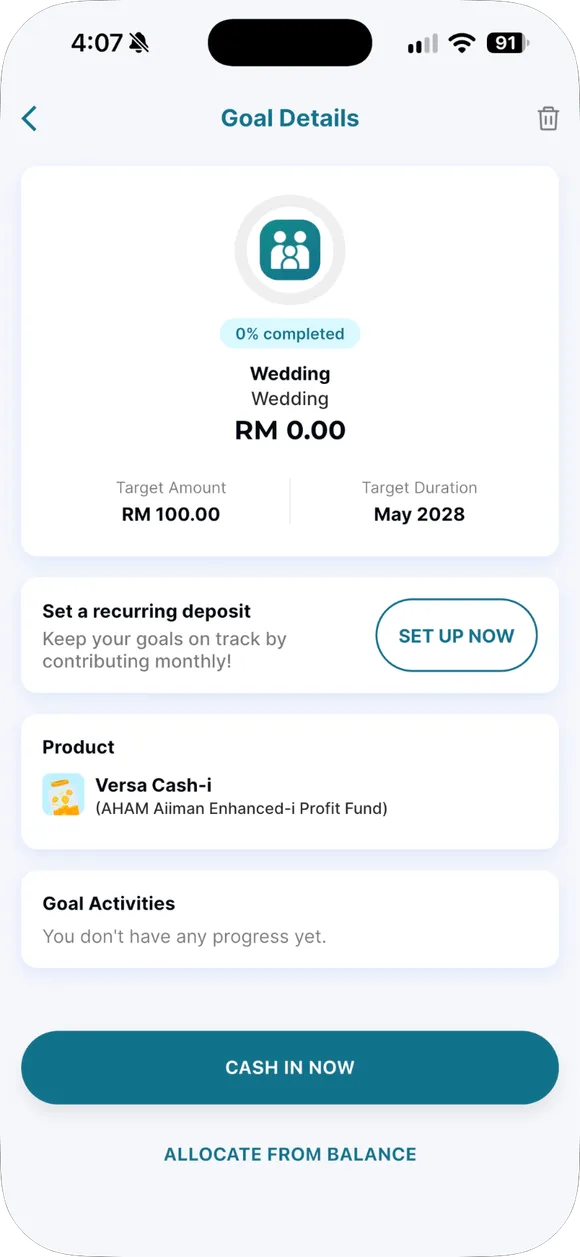

01/04
Create a goal
Give it a name, choose a fund, a target amount and a date. One fund can hold several goals.
- Create a goal. Give it a name, choose a fund, a target amount and a date. One fund can hold several goals.
- Track progress. The progress bar shows how far you have to go. You can move money from General balance into a goal instantly.
- Link Auto Save. One Auto Save plan can fund several goals at once.
- Break the goal. Money in a goal cannot be cashed out directly. Break the goal first, the money returns to General balance, then cash out. Linked Auto Save keeps going into General balance.
Three ways to fund a goal
- Auto Save. One Auto Save plan can feed several goals at once. This is the most consistent way.
- Manual top-up. Cash in straight into the goal.
- Move from General balance. If the money’s already in the fund, move it into the goal instantly with no waiting.
Break the goal before cashing out
After breaking it, any Auto Save linked to that goal doesn’t stop. The deduction keeps going, just straight into your General balance. If you want the deduction to stop, delete the Auto Save plan under Manage → Auto Save.
Tips for organizing goals
- Put your emergency fund in Cash-i if you want same-day access (before 10am on a business day).
- Long-term goals (over 3 years) can sit in another fund, but understand that fund’s risk first.
- Give it a name that makes you hesitate to break it, like “Don’t touch: emergency”.
Want to know how long a cash out from that fund takes? Check how to cash out.
Common questions on this topic
Can you Cash Out money that's inside a Goal directly?
No. You need to "break" the Goal first, the money returns to your General balance, then you can Cash Out.
Source: versa.com.my/your-goal-tracker-just-got-a-major-upgrade ↗
Can you have multiple goals in one fund?
Yes, since the 2026 upgrade, one Auto Save plan can feed several goals.
Source: versa.com.my/your-goal-tracker-just-got-a-major-upgrade ↗

Already have a Versa account?
Open the app and do this step now, while it is fresh in your mind.
Past returns do not guarantee future returns. Unit prices can go down. Not financial advice.